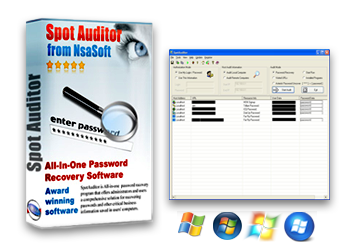
SpotAuditor is a comprehensive solution for recovering passwords and other critical business information saved in computers, it recovers more than 40 programs passwords!
SpotAuditor recovers Internet Explorer, Firefox, Opera, Outlook Express, MSN messenger, Windows Live Messenger, Windows Messenger, Google Talk, Gmail Notifier, Google Desktop, ICQ, Trillian, Miranda IM, &RQ, Camfrog Video Chat, Easy Web Cam, RDP, VNC, Dial up, RAS, VPN, WinProxy, Total Commander (Windows Commander), SmartFTP, Far, IpSwitch Messenger, IpSwitch IM server, IpSwitch Messenger, IMail server, WS_FTP, CuteFTP, File Zilla, FlashFXP, SecureFX, WebDrive, FTP Voyager, CoreFTP, CoffeeCup Direct FTP, AutoFTP, FTP Control, FTP Navigator, FFFTP, DeluxeFtp, 32bit FTP passwords, Internet Download Manager password and reveals IE Auto Complete Fields saved passwords, recovers passwords stored behind the asterisks (*****).
The program also explores Visited URLs, Installed Programs and Start Run Programs on a local machine or remote computers. You can save passwords as Tab Delimited Txt File (.txt), Excel Workbook (.xls), CSV Comma Delimited (.csv), Access Database (.mdb), Web Page (.html) or XML Data (.xml) file, Print or Copy to Clipboard.
SpotAuditor Key Features: ( Recovers more than 40 programs Passwords! )
• IE7-IE8-IE9 ( Internet Explorer 7, 8, 9 ) web and autocomplete password recovery
• IE6 ( Internet Explorer 6) and ActiveX password uncover and remover
• Mozilla Firefox cached passwords recovery
• Opera browser password recovery
• MSN messenger 6.0 - 7.5 and Windows Live Messenger 8 password recovery
• Windows messenger password retrieve
• Dialup, RAS and VPN password recovery
( administrator privileges required )
• Outlook Express and Microsoft Office Outlook passwords recovery
• Recovers Passwords behind Asterisks (*****)
• RDP - Remote Desktop password decoder
• ICQ password finder
• Trillian password recovery
• Miranda IM password recovery
• Google Talk ( GTalk ) password recovery
• Google Desktop password recovery
• Camfrog Video Chat and Easy Web Cam password recovery
• VNC 4.xxx password recovery
• WinProxy Administrator password retriever
• Total Commander ( Windows Commander ) password recovery
• CoffeeCup Direct FTP password recovery
• IpSwitch Messenger, IpSwitch Messenger, IM server, IMail server, WS_FTP password recovery
• SmartFTP 3.x password recovery
• CuteFTP password reveal
• FlashFXP ftp password unhider
• FileZilla multiple FTP accounts and proxy
server password recovery from registry and FileZilla.xml
• FTP Navigator password discovery
• 32bit FTP password recovery
• WebDrive FTP password revealer
• FTP Control password seeker
• DeluxeFtp password locator
• AutoFTP password recovery
• FTP Voyager password recovery
• SecureFX ftp client password recovery
• Far ftp client password viewer
• Ftp Now password finder
• Core FTP passwords retriever
• FFFTP passwords recovery
• Internet Download Manager password recovery
• &RQ icq client password searcher and decrypter
• Internet Explorer Cache Manager
• Internet Explorer Content Advisor password changer and remover
• Internet Explorer Cookies, History and Internet Files Cleaner
Related product: SpoMSN - MSN Messenger and Windows Live Messenger Password Recovery
SpotMSN - Recover your MSN and Live Messenger Passwords Instantly!
SpotMSN is a password recovery tool that is used to recover lost or forgotten passwords for your MSN messenger, Windows Live Messenger 8 and Windows Messenger accounts. SpotMSN is the best MSN password finder that instantly cracks and decrypts the MSN Messenger passwords saved on your computer. Program works when the "Remember my Password" tickbox is checked in the messenger.
Related product: SpotIE - Internet Explorer Password Recovery
SpotIE is a Internet Explorer Password Recovery software to recover passwords to web sites saved in Microsoft Internet Explorer, and AutoComplete strings. It is a comprehensive solution for recovering all types of Internet Explorer saved passwords. The software recovers passwords to web sites saved in Internet Explorer ( in local password list ), as well as AutoComplete strings (form fields) which MS Internet Explorer saves in cache. SpotIE recovers passwords entered in Web forms and Web sites passwords. Internet Explorer versions 6, 7, 8 and 9 are supported. If you use Internet Explorer 7, 8 or 9 we recommend you to visit the web pages which logon password you want to retrieve, since SpotIE uses URLs in cache to decrypt passwords. All the mentioned features are provided with a user friendly graphical interface.
SpotIM Messenger Password Recovery is a tool that is able to automatically find and decrypt the passwords of most popular Instant Messenger and video chat programs. The program recovers lost or forgotten passwords for ICQ, Trillian, IpSwitch Messenger, Miranda, &RQ instant messengers and Camfrog Video Chat, Easy Web Cam accounts. SpotIM is the best Instant Messenger password finder that instantly cracks and decrypts the passwords saved on computer. All the mentioned features are provided with a user friendly graphical interface!
Related product: SpotFTP - FTP Password Recovery Solution!
SpotFTP is a FTP Password Recovery program, the software allows to find and recover forgotten FTP passwords. FTP passwords are commonly cached by FTP programs (FileZilla, WS_FTP, CuteFTP etc.) SpotFTP FTP Password Recover offers administrators and users a comprehensive solution for recovering FTP passwords saved in users' computers. SpotFTP recovers FileZilla, WS_FTP, SmartFTP, Far ftp client, CuteFTP, FlashFXP ftp, SecureFX ftp client, WebDrive, FTP Voyager, AutoFTP, 32bit FTP, FFFTP, FTP Now, FTP Navigator, CoffeeCup Direct FTP, DeluxeFTP and FTP Control lost or forgotten passwords. All the mentioned features are provided with a user friendly graphical interface.
Related product: APKF - Adobe Product Key Finder is Adobe CS3, CS4 and CS5 License Key Find and Recovery program
APKF Product Key Finder is Adobe Creative Suite CS3, CS4 and CS5 Key Finder. The software automatically searches your computer for the product keys and serial numbers that your software programs store in the registry or in the cache. APKF allows finding and recovering license keys for Adobe Acrobat, Adobe Dreamweaver, Adobe InDesign, Adobe Illustrator, Adobe Photoshop, Adobe Flash, Adobe Fireworks and more. With Adobe Product Key Finder you simply diagnose your system for all installed Adobe products and make a backup, print it or save to the file or database. This may save you a lot of money. APKF Product Key Finder is a free to try software. You can free download and try it for an evaluation period. You can backup recovered product keys and save as Tab Delimited Txt File (.txt), CSV Comma Delimited (.csv), Excel Workbook (.xls), Access Database (.mdb), Web Page (.html), SQLLite Database (*.db) or XML Data (.xml) file, print key list or copy all to clipboard. Just right click to key list and choose appropriate option. Please note: the trial version doesn’t allows to backup or print the key list.
Related product: Product Key Explorer - Product Serial Key Find, Recovery and Backup
Product Key Explorer quickly recovers and displays product key, including Windows 7 keys, Windows Vista key, Windows XP product key, Microsoft Office 7 product key, MS office 2010 key, Adobe Photoshop, Adobe CS5, CS4, CS3, SQL Server, Electronic Arts games and more than 3000 popular software products installed in your local machine or in network computers. In order to install or reinstall Microsoft Office, Windows, or other commercial software, you must have access to a product serial key (CD Key) for that product. Product Key Explorer retrieves serial keys from network computers and allows to protect your company from having pirated software on your network. You can save product keys as Tab Delimited Txt File (.txt), Excel Workbook (.xls), CSV Comma Delimited (.csv), Access Database (.mdb), SQLLite3 Database, Web Page (.html) or XML Data (.xml) file, Print or Copy to Clipboard.
Related product: Backup Key Recovery - Recover Product Keys from a Crashed Hard Drive
Backup Key Recovery - Recover over 2500 popular software product keys from a crashed hard disk drive! Backup Key Recovery retrieves product keys for Windows, MS Office, SQL Server, Adobe products and more than 2500 popular software products installed on your crashed hard disk drive. Before using software you should recover registry files in your crashed hard drive if they are damaged, then connect it to your computer as secondary hard drive and using "Backup Key Recovery" browse find software registry file located in Windows\System32\config\software and recover installed major software products activation keys. Backup Key Recovery supports more than 2500 software packages. Excellent tool for system administrators and computer repair service providers. You can save product keys as Tab Delimited Txt File (.txt), Excel Workbook (.xls), CSV Comma Delimited (.csv), Access Database (.mdb), Web Page (.html) or XML Data (.xml) file, Print or Copy to Clipboard.
Recovers passwords saved in Internet Explorer 7-8-9, Internet Explorer 6.x, Outlook Express and Microsoft Office Outlook Passwords
SpotAuditor reveals passwords saved in Internet Explorer, Outlook Express passwords and IE Auto Complete Fields.
Recovers passwords saved in Mozilla Firefox
SpotAuditor
is a convenient utility for instant retrieval of any cached passwords
stored in Mozilla Firefox
("Use a master password" should be disabled).
Recovers passwords saved in Opera
browser
SpotAuditor is a convenient utility for
retrieving cached passwords stored in Opera browser
( master password should be disabled ).
Recovers MSN messenger, Windows Live Messenger 8 and Windows Messenger passwords
With
SpotAuditor you can recover your MSN Messenger passwords that has been
saved to auto-login to your MSN Messenger application. This program is
the MSN password finder that instantly recovers and decrypts the MSN
Messenger, Windows Live Messenger 8 and Windows Messenger passwords
stored on your computer. SpotAuditor recovers your MSN and Live
messenger recent password when MSN or Live messenger "Remember my
Password" tickbox is checked.
Reveals ICQ, &RQ, R&Q, Trillian, Miranda IM, Google Talk, Camfrog Video Chat, Easy Web Cam, WinProxy and VNC passwords
With
SpotAuditor you can recover your ICQ, &RQ, R&Q, Trillian,
Miranda IM,Google Talk ( GTalk ), Camfrog Video Chat, Easy Web Cam,
WinProxy and VNC passwords.
Recovers Dial-up, RAS and VPN passwords
SpotAuditor enumerates all Dial up entries on computer and recovers Dialup, RAS and VPN passwords.
The passwords are revealed only if you log on to the computer with administrator privileges.
Under Windows Vista, select SpotAuditor, right-click and choose
"Run as administrator" to recover your Dialup, RAS and VPN passwords.
Decodes Remote Desktop Connection (RDP) passwords
SpotAuditor
decodes the password used in Remote Desktop Profiles (.RDP) generated
by the Windows tool "Remote Desktop Connection ".
Recovers
Far Ftp, FileZilla, WS_FTP, SmartFTP, CuteFTP, CoffeeCup Direct FTP,
FlashFXP, SecureFX, WebDrive, AutoFTP, 32bit FTP, FTP Control, FTP
Navigator, FTP Voyager, Core FTP, FFFTP, DeluxeFtp, Total Commander ( Windows
Commander ) passwords
With SpotAuditor
you can recover your Far ftp client, FileZilla, WS_FTP, SmartFTP,
FlashFXP ftp client,, SecureFX ftp client, WebDrive ftp, FTP Control,
FTP Navigator, 32bit FTP, CuteFTP, CoffeeCup Direct FTP, CoreFTP,
AutoFTP, FFFTP, FTP Voyager and Total Commander ( Windows Commander )
passwords.
Reveals the passwords stored behind the asterisks in password text-boxes
SpotAuditor
Asterisk Password Uncover utility can reveal the passwords stored
behind the asterisks in password text-boxes, dialog boxes, web pages
and ActiveX controls. Whenever a new window containing a password box
is opened, Asterisk Password Uncover automatically reveals the password
inside the password-box, and add a record to passwords list in the main
window of SpotAuditor.
Allows to delete unwanted entries from system protected storage
SpotAuditor allows to delete unwanted entries from system protected storage.
Explores Outlook Accounts, Visited URLs, Installed Programs and Start Run Programs
SpotAuditor explores Outlook Accounts, Visited URLs, Installed Programs and Start Run Programs on local or remote computers.
Allows to Change or Reset Internet Explorer Content Advisor lost password
Content
Advisor is a feature in Internet Explorer that allows supervisors to
restrict the web sites that the users can browse. SpotAuditor allows to
change or delete Internet Explorer Content Advisor forgotten password
from system registry.
Clear Internet Explorer history, delete cookies and temporary internet files
SpotAuditor allows to clean Internet Explorer history, delete cookies and temporary internet files.
Autocomplete feature is introduced by Microsoft in their web browser
Internet Explorer since IE version 5. In the earlier version, it was limited
to the auto completion of web addresses that you type in the browser's
address bar. The later versions of Internet Explorer included auto complete
support for various form elements including email addresses and passwords.
If enabled, auto complete feature lists possible matches for the entries you
have typed before in the web based forms. It can be enabled or disabled from Tools » Internet options » Content » AutoComplete. You can enable or
disable autocomplete feature for web addresses, forms and user names and
passwords on forms. You can also delete previous auto complete entries-values
of these things. To delete an individual value, select it from the drop-down
list for that field, and press delete.
How to delete
Internet Explorer Autocomplete Form entries?
The AutoComplete feature saves previous
entries you've made for Web addresses, forms, and passwords.
To delete
entries from the Address bar, you must:
In Internet Explorer, on the Tools menu, click Internet Options.
Click the Content tab.
Under Personal information, click AutoComplete.
Clear AutoComplete history, click Clear Forms
How To Delete
AutoComplete Entries From The Address Bar List?
The AutoComplete feature saves previous entries you've
made for Web addresses, forms, and passwords. To delete entries from the
Address bar, you must clear your History folder. You cannot clear individual
entries from the list of saved entries.
On the Tools menu in Internet Explorer, click Internet Options.
Click the General tab.
Under History, click Clear History.
How To Turn Off AutoComplete?
To turn off the AutoComplete feature you will have to go
into another section as the option is not with the AutoComplete Settings.
On the Tools menu in Internet Explorer, click Internet Options.
Click the Advanced tab.
Scroll down and look under Browsing, click Use inline AutoComplete and remove the tick.
How To Change My MSN
Password?
To change your MSN password Sign In to your
Passport Network account Here,
select Credentials tab and click "Change your Password"
Note: this program is not a hacker tool and should not be used to crack or steal someones passwords!
Nsasoft products may be found in businesses all over the world, including international companies, non profit & government agencies, educational organizations.